


Piano Kids - Music & Songs
4.35.85K Reviews
App Specs
- Version
- 3.73
- Updated On
- License
- Free
- Downloads
- 100,000,000+
- Developer
- Orange Studios Games
- Categories
- Music
- Platform
- Android, iOS
Screenshots
 Analysis by AppCompare
I like the idea of a music game that lets a child explore sound without needing to read instructions or know an instrument first. Piano Kids - Music & Songs is aimed at that sort of first encounter: tap, listen, try another sound, and see what happens. It is a free game from Orange Studios Games, and its musical activities are presented for a general audience, with an Everyone age rating. That makes it an easy option to consider for a short, supervised play session, though I would treat it as playful exposure to music rather than a substitute for lessons.
What free access means for its value
The game costs nothing to download, while optional in-app purchases are listed at $3.99 per item. I see that as a useful starting point for families who want to try a music activity before spending money. The paid items may matter if a child wants more, but the free entry point is the clearest reason to test it; I would not budget for purchases until I had watched how the child actually uses the game.
That distinction is important: a free download does not mean every part of the experience is necessarily included at no cost. If a purchase prompt appears, I would pause and check what it unlocks before approving it. For a young child, setting expectations in advance—“we’re exploring what’s available today, and we’ll ask before buying anything”—can prevent a cheerful music session from turning into a negotiation over an on-screen offer.
Guides and Analysis on Piano Kids - Music & Songs
A Playful Introduction to Music
Piano Kids - Music & Songs is like a musical playground for children. The app is designed to be intuitive, so even the youngest users can dive right in without needing much guidance. The colorful interface is super engaging, and every tap results in delightful sounds that make learning fun.
Features That Hit All the Right Notes
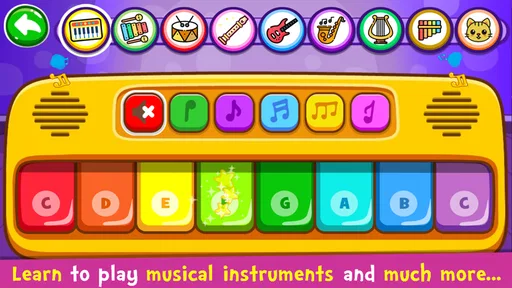
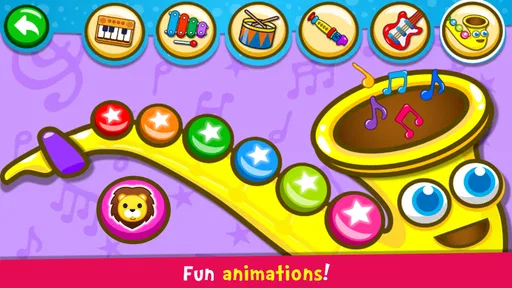
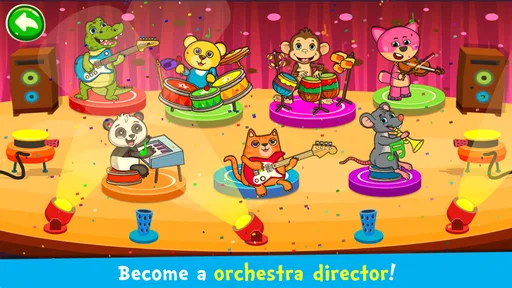
One of the standout features is the variety of instruments available. Kids can experiment with not just pianos, but also drums, xylophones, and more. It’s like having a mini orchestra in your pocket. Each instrument has its own distinct sound, giving children a broad musical experience.
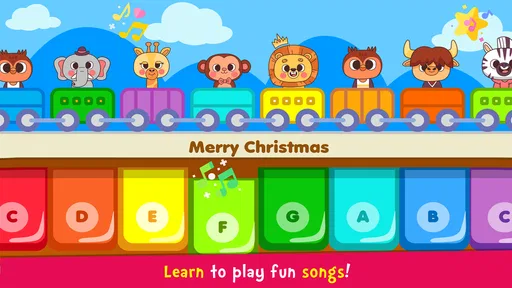
My favorite part? The app includes a section with songs that kids can play along to. It’s a great way for them to learn rhythm and melody. The animated characters that dance along to the music add an extra layer of fun, keeping the kids entertained while they learn.
Making a short session work well
I’d use the different sounds as a prompt for a simple listening game rather than handing over the phone and hoping the child will discover everything on their own. Ask them to tap a few notes, then switch instruments and notice how the same playful tapping feels different. With the song section, a parent can sing or clap along while the child explores, turning screen time into a small shared activity instead of a test of whether they can follow a tune correctly.
Worth Reading Before You Choose

Ludo King Makes the Most of the Minutes Between Plans

Baby Panda World Brings Quick Play to Modern Phones, but Its Game Library Feels Busy

ESPN’s Live Game View Makes Following Close Games Easier

QuizzLand Review: A Good Fit for Short Trivia Breaks, Not Every Player

Basketball Stars: Multiplayer Is Fast, but Can It Recover When Matches Go Wrong?

WEBTOON Turns Phone Updates Into a Better Reading Routine
One practical trade-off is that a touch screen invites quick, repeated tapping. That is part of the fun, but it can make the experience noisy and less focused if a child is trying to hear a melody. I’d start with one instrument or one activity, keep the phone volume comfortable, and give them a moment to listen between turns. This makes it easier to notice whether the child is enjoying the sounds themselves or simply enjoying the response to each tap.
Easy to Navigate, Hard to Put Down
The app’s layout is user-friendly. Even if you or your child aren’t tech-savvy, you’ll find navigating through the different sections a breeze. The buttons are large, and the app responds quickly to touches, which is crucial for maintaining a child’s attention.
What’s more, there’s a parental lock feature that ensures kids stay within the app without wandering off into other apps or settings. As a parent, this gives me peace of mind while my child enjoys their screen time.
What to expect from the learning side
I would think of the educational benefit as an invitation to notice sound, not as a structured course. A child can explore how different instruments sound and get a first, informal feel for rhythm and melody, but that is not the same as learning to read music or developing technique on a real keyboard. If a child is asking to play a particular instrument seriously, this can be a playful first step; regular time with an instrument and guidance from a teacher will serve that goal better.
For an everyday example, it could fit into the few minutes before dinner while an adult is nearby: choose a sound, take turns making a short pattern, and ask the child to repeat it. If attention drifts, there is little reason to insist on finishing an activity. The useful outcome may simply be that the child tried listening, copying, and making a sound of their own. I’d keep sessions brief and let interest, rather than a screen timer or a promised lesson, decide when to stop.
Educational Value
Beyond just fun, Piano Kids - Music & Songs has significant educational value. It helps children develop auditory skills, hand-eye coordination, and even introduces them to basic music theory concepts. The app subtly incorporates these elements into its games, so kids are learning without even realizing it.
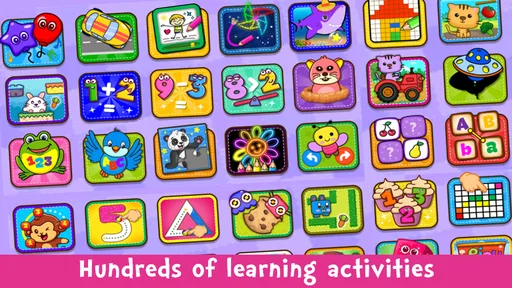
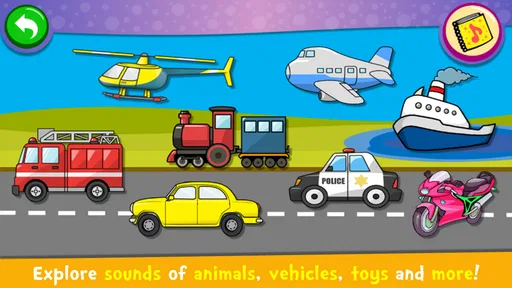
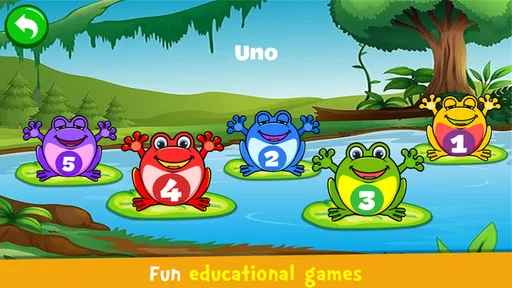
There’s a section dedicated to recognizing animal sounds and another for learning numbers and letters through music. It’s like a mini preschool wrapped up in a single app.
Where it differs from other music options
Compared with a dedicated piano-learning app, this game is better suited to broad, casual exploration than to a step-by-step path toward playing songs accurately. Compared with a physical toy keyboard, it is easier to switch between playful activities on one device, but a real instrument offers a tactile experience that a screen cannot reproduce. Those alternatives are not interchangeable: choose this for low-pressure variety, a teaching app for structured practice, or a keyboard when touch and musical technique matter most.
It may also be the wrong fit for a child who quickly gets frustrated by unstructured play, wants a clear level-by-level challenge, or is already ready to practise an instrument in earnest. In those cases, I would look for a more focused learning tool or spend time with an actual instrument together. Adults hoping for a serious music-making tool should also look elsewhere; the appeal here is child-friendly experimentation, not a professional workspace.
Compatibility and a sensible first try
The game first appeared on February 2, 2016, and its current version is 3.64. It requires Android 5.0 or later, so I would check the device’s operating system before planning to install it on an older Android phone or tablet. Those details make it easier to decide whether it is a practical option for a particular family device rather than assuming every handset will run it.
Its popularity is considerable: it has over 100 million installs, an average rating of 4.3 from around 713,000 ratings, and about 5,800 written reviews. I take that as a sign that many people have tried it, not a guarantee that every child will enjoy it. A child’s age, patience with touch controls, and preference for songs versus free exploration will matter more to your own decision.
If you are wondering whether it is suitable for a very young child, the Everyone rating is a helpful broad indication, but I would still sit nearby and see how that child handles the screen and any purchase prompts. If you are wondering whether it teaches piano, my answer is that it can encourage musical curiosity but should not be mistaken for formal instruction. And if you are deciding whether to pay, I would first try the free access and consider an optional item only if its specific value is clear to you.
The Final Crescendo
All in all, Piano Kids - Music & Songs is a fantastic app for introducing children to the world of music. It’s enjoyable, educational, and incredibly easy to use. Whether you have a budding Beethoven or just want to give your child a creative outlet, this app is definitely worth a download.
If you’re looking for a way to combine entertainment and education seamlessly, this app hits all the right notes. So why not give it a try? Your little one might just surprise you with their newfound musical talents!
My recommendation is to try it when you can be present for the first session, explore a couple of activities together, and decide from the child’s reaction whether it earns a place in your routine. The strongest value is a free, low-pressure way to spark interest in sounds; the main limitation is that playful tapping should not be confused with sustained music teaching. For a child who enjoys experimenting, that is a fair trade. For one who needs a clear curriculum or hands-on instrument practice, I would skip it in favor of a more focused alternative.
Pros
- Engaging and colorful interface.
- Wide variety of musical instruments.
- Easy for kids to navigate.
- Educational and fun learning tool.
- Offline mode available.
Cons
- Limited song selection.
- Ads can be distracting.
- No parental control features.
- Some features require in-app purchases.
- Basic graphics for older kids.
FAQs for Piano Kids - Music & Songs
What is Piano Kids - Music & Songs, and who is it designed for?
Piano Kids - Music & Songs is a fun and educational app designed for young children. It combines music education with engaging gameplay to teach kids the basics of music, including notes, instruments, and songs. The app is colorful and interactive, making it ideal for children ages 1 to 8 who are exploring music for the first time.
What features does Piano Kids - Music & Songs offer?
The app offers a variety of features such as multiple musical instruments like piano, xylophone, drums, and more. It includes different modes such as songs, sounds, and games that help children learn rhythm, melody, and musical notes. The app also provides interactive games that enhance coordination and creativity.
Is Piano Kids - Music & Songs safe for children to use?
Yes, Piano Kids - Music & Songs is designed with children's safety in mind. The app is free from ads that could lead to external websites, and it requires minimal supervision. There are no in-app purchases that children could accidentally make, ensuring a worry-free experience for parents.
Can Piano Kids - Music & Songs be used offline?
Yes, one of the convenient features of Piano Kids - Music & Songs is that it can be used offline. This makes it perfect for travel or situations where internet access is limited. Children can enjoy playing and learning music at any time without needing a connection.
Does Piano Kids - Music & Songs support multiple languages?
Yes, Piano Kids - Music & Songs is designed to be accessible to a global audience. It supports multiple languages, allowing children from different linguistic backgrounds to enjoy and learn from the app. Parents can easily switch the language settings to match their child's needs.


